AI Process Mapping: Tools, Prompts, and Pilot Guide
Discover how AI process mapping can accelerate workflow analysis, highlight gaps, and streamline collaboration—transforming your team's efficiency!

AI Process Mapping: Tools, Prompts, and Pilot Guide
AI process mapping auto-generates and analyzes workflow diagrams from text, logs, and transcripts so teams find gaps and act faster. You get a working draft in minutes instead of days, and the AI flags decision points and missing steps you would have missed in a manual session.
Quick shortlist:
- Collaboration + light AI generation → Miro
- Automated discovery from event logs → KYP.ai
- Fast text-to-diagram from a prompt → Eraser (DiagramGPT)
- Enterprise BPMN with integrations → Lucidchart
- Free and flexible → diagrams.net (draw.io)
| Use case | Pick |
|---|---|
| Cross-team diagram editing | Miro |
| Process mining from logs | KYP.ai |
| Prompt-to-diagram in seconds | Eraser (DiagramGPT) |
| Enterprise BPMN workflows | Lucidchart |
| Zero budget, full control | diagrams.net (draw.io) |
Key Takeaways
AI process mapping is most effective when you combine structured prompts, standards-compliant export (BPMN 2.0 XML), and human SME validation at every decision gateway.
| Point | Details |
|---|---|
| Start with one scoped process | Pick a process under 15 steps with a clear start and end before running any AI tool. |
| Match tool to input type | Use a text-to-diagram generator for SOPs; use a process-mining tool for event logs. |
| Require BPMN 2.0 export | A diagram without a standards-compliant export is a picture, not a deployable artifact. |
| Build in approval gates | Gate consequential actions with a confirmAction pattern so humans stay in the loop. |
| Saimonsays sharpens your prompts | Better-structured inputs produce more accurate maps; Saimonsays’s prompt-refinery tools help you get there faster. |
Table of Contents
- Which AI process-mapping tools are worth your time?
- How to choose the right AI process-mapping solution for your team
- How to generate an AI process map step by step
- Common business use cases and templates you can adapt
- How to make AI process maps auditable
- Final recommendation and your next steps
- The part most teams get wrong about AI mapping
- Better prompts mean better maps
- Sources
Which AI process-mapping tools are worth your time?
The table below covers the eight dimensions that matter most for a purchasing decision. One-line standouts follow.
| Tool | Best for | AI capability | Diagram types | Integrations | Collaboration | Pricing / free tier | Ease of use | Security & compliance |
|---|---|---|---|---|---|---|---|---|
| Miro | Cross-team collaboration | NLP generation, AI layout | Flowcharts, swimlanes, mind maps | Slack, Jira, Confluence, Zoom | Real-time editing, comments, multiplayer | Free tier; paid from ~$10/user/mo | Low learning curve | SSO, SOC 2 |
| KYP.ai | Automated discovery | Process mining, event-log replay | BPMN, process flows | CSV logs, APIs, ERP connectors | Shared dashboards | Contact for pricing | Moderate | Enterprise data handling |
| Lucidchart | Enterprise diagramming | AI shape suggestions, auto-layout | BPMN, swimlanes, value stream, ERD | Google Workspace, Microsoft 365, Jira | Real-time, layers, comments | Free tier; paid from ~$9/user/mo | Low to moderate | SSO, SCIM, SOC 2 |
| Eraser (DiagramGPT) | Fast prompt-to-diagram | NLP text-to-diagram generation | Flowcharts, BPMN, sequence | GitHub, Notion | Shared links, comments | Free tier available | Very low | Standard SaaS |
| Microsoft Visio | Legacy desktop diagramming | Limited native AI; plugin-dependent | BPMN, flowcharts, org charts | Microsoft 365, SharePoint | Co-authoring (limited) | Plan 1 from ~$5/user/mo | Moderate to steep | Microsoft 365 compliance |
| diagrams.net (draw.io) | Cost-conscious teams | Basic AI layout assist | BPMN, flowcharts, UML, swimlanes | Confluence, GitHub, Google Drive | Export/import sharing | Fully free | Low | Self-hosted option |
Standouts in plain terms:
- Miro excels at getting a cross-functional team into one canvas fast. The AI generation is lightweight but the real-time editing is the actual differentiator.
- KYP.ai reconstructs actual event-driven flows from logs. If your process documentation is out of date, this is where you start.
- Lucidchart has the deepest enterprise template library and the tightest Microsoft 365 and Google Workspace integrations.
- Eraser (DiagramGPT) turns a plain-text description into an editable process draft in seconds. Best for a first draft you then refine.
- Microsoft Visio is the right call only when your org already runs on Microsoft 365 and needs a familiar desktop-style tool. Native AI is thin.
- diagrams.net (draw.io) is free, exports to every major format, and can run offline or self-hosted. No AI generation to speak of, but no cost either.
On pricing: free tiers exist for Miro, Lucidchart, Eraser, and diagrams.net. KYP.ai and enterprise Visio require a sales conversation. Typical SaaS licensing runs per-user per month; enterprise seats are negotiated annually.
Short trial checklist: import a real SOP document, try a transcript import, export to BPMN XML, and check whether the AI correctly identifies decision points vs. sequential steps. Three tests, one session.
Statistic callout: Purpose-built AI mapping tools can generate standards-compliant BPMN 2.0 XML from plain-language inputs and export directly to automation engines, cutting diagram-to-deployment time significantly.
How to choose the right AI process-mapping solution for your team
Collaboration needs
If multiple analysts, process owners, and stakeholders need to edit simultaneously, real-time collaboration is non-negotiable. Miro and Lucidchart both deliver this. Visio’s co-authoring works but lags behind cloud-native tools. diagrams.net handles collaboration through file sharing, not live editing.
Automated discovery vs. manual diagramming
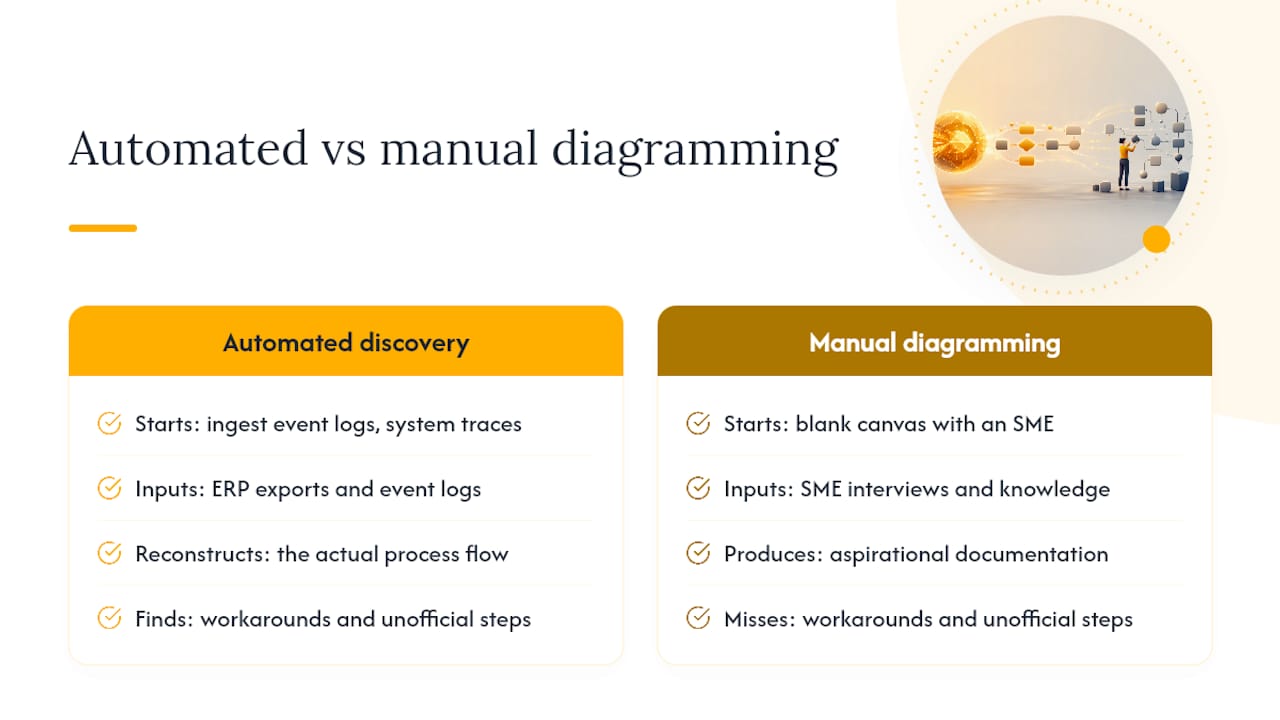
Manual diagramming starts with a blank canvas and a subject-matter expert (SME). Automated discovery, what KYP.ai does, ingests event logs, system traces, or ERP exports and reconstructs the actual flow. The gap between these two approaches is significant: AI process mapping surfaces hidden workarounds and unofficial steps that SME interviews routinely miss. If your process documentation is aspirational rather than accurate, start with a discovery tool.
Enterprise BPMN support
If your maps need to feed a BPMN-compliant automation engine (Camunda, Flowable, or similar), confirm that the tool exports valid BPMN 2.0 XML, not just a visual that looks like BPMN. Lucidchart and purpose-built tools like Crismo do this. Miro and Eraser produce diagrams that are useful for discussion but may need manual cleanup before import into an execution engine.
Data-source connectivity
KYP.ai connects to CSV logs, APIs, and ERP connectors. Lucidchart integrates with Google Workspace and Microsoft 365. Eraser connects to GitHub and Notion. Visio lives inside the Microsoft 365 ecosystem. Match the tool to where your source data actually lives.
Security and compliance
For regulated industries, SSO and SCIM provisioning are table stakes. Miro and Lucidchart both carry SOC 2 certification. diagrams.net offers a self-hosted option for teams that cannot send process data to a third-party cloud. Ask every vendor for their data retention policy and whether process diagrams are used to train their models.
Requirements checklist
| Requirement | Must-have? | Notes |
|---|---|---|
| BPMN 2.0 XML export | Yes (if feeding automation) | Verify with a test export |
| SSO / SCIM | Yes (enterprise) | Confirm IdP compatibility |
| Real-time collaboration | Depends on team size | Critical for 3+ concurrent editors |
| Event-log import | Yes (if using discovery) | CSV minimum; API preferred |
| Self-hosted option | Regulated industries | diagrams.net supports this |
| Free trial / sandbox | Always | Never buy without a pilot |
Red flags during evaluation: the tool exports only to a proprietary format with no BPMN or XML option; the AI cannot explain why it placed a decision gateway where it did; there are no audit logs of who changed what; the vendor cannot tell you what training data the model used.
Questions to ask on a demo call: What event-log formats do you ingest natively? Can you show me a sample audit log? What is your data retention period for uploaded SOPs? Do you use customer data to retrain the model? What SLAs apply to uptime and support response?
Pro Tip: Run your pilot on a process you already know well. Feed the AI your existing SOP and compare its output to your ground-truth map. Any gap the AI introduces is a hallucination you can catch before it matters.
How to generate an AI process map step by step
The fastest path: prepare source material → generate draft → validate with SMEs → finalize and export BPMN. One session, under two hours for a well-scoped process.
-
Prepare your input (15 min). Gather one of: a written SOP, a meeting transcript, or a system event log. Clean up abbreviations and make sure each step is a discrete action. Shorter and cleaner inputs produce better first drafts.
-
Choose your tool (5 min). Text SOP or transcript → Eraser (DiagramGPT) or a purpose-built generator. Event log → KYP.ai. Collaborative session → Miro. Enterprise BPMN output → Lucidchart.
-
Write your prompt (10 min). Use the templates below. Paste into the tool’s AI input or into an LLM that feeds the generator.
-
Review the draft (20 min). Check every decision gateway: does the AI’s branch logic match your actual business rule? Flag any step that appears without a clear trigger.
-
Validate with SMEs (30 min). Walk one process owner through the draft. Capture corrections as comments, not edits, until the review is complete.
-
Finalize and export (10 min). Assign swimlane owners, confirm start and end events, then export to BPMN 2.0 XML or your target format.
Prompt templates
For a text SOP: For a meeting transcript: For a log file: Tool-specific tips:
- In Eraser (DiagramGPT), start with the SOP prompt above, then follow up with: “Add a swimlane for the Finance team and move the approval step into it.”
- In a process-mining tool like KYP.ai, upload the log first and let the tool generate the flow before you write any prompt. Use prompts only to annotate or filter the discovered map.
- In Miro, use the AI generation feature to get a starter diagram, then invite your team to edit in real time. The AI draft is a conversation starter, not a finished artifact.
Follow-up prompts for iteration:
- “Identify any steps in this map that lack a defined owner.”
- “Where could this process loop back? Add a loop gateway at the most likely point.”
- “Simplify this map to show only the critical path, removing optional steps.”
Common business use cases and templates you can adapt
Employee onboarding. Feed the AI your HR onboarding checklist and an IT provisioning SOP. Use a swimlane diagram with lanes for HR, IT, and the hiring manager. Export as BPMN for handoff to your HRIS automation. The AI typically surfaces the gap between when IT access is requested and when it is actually granted, a delay most onboarding docs gloss over.

Incident response. Paste your incident runbook into a generator. The AI will expose missing escalation paths and undefined severity thresholds faster than a manual review. Use a flowchart with decision gateways for severity levels. Measure impact by tracking mean time to resolution before and after the map is implemented.
Procure-to-pay. This is where process-mining tools earn their cost. Upload your ERP event log and let KYP.ai reconstruct the actual flow. You will almost certainly find approval bypasses and duplicate invoice paths that the official SOP does not acknowledge. AI-driven analysis surfaces these hidden workarounds that manual interviews miss entirely.
Customer support escalation. Use a meeting transcript from a team retrospective as input. The AI extracts the escalation sequence, identifies who touches the ticket at each stage, and flags steps with no defined SLA. Swimlane output works best here.
R&D release process. Feed the AI your release checklist and any post-mortem notes. Ask it to identify all approval gates and the roles responsible. Value-stream mapping is the right diagram type: it shows wait time between steps, which is usually where release delays hide.

Pro Tip: Store your process map templates in a version-controlled repository (GitHub or Confluence) and tag each version with the date and the SME who validated it. When the process changes, you have a clear audit trail and a baseline for measuring improvement.
Minimal input to get a usable draft:
- One-sentence trigger: “A new employee accepts an offer.”
- Four to six steps: “HR sends welcome email → IT creates accounts → Manager assigns buddy → Employee completes I-9 → IT grants system access → HR schedules orientation.”
- That is enough for a generator to produce a swimlane draft worth reviewing.
Measuring impact: track two metrics before and after: cycle time for the process end-to-end, and the number of exception cases or rework loops per month. Both are visible in your event logs if you are using a process-mining tool.
How to make AI process maps auditable
Auditability requires step-by-step agent traces plus human-in-the-loop approval gates because without them, you cannot distinguish a correct AI decision from a hallucinated one. That distinction matters most when the map feeds an automation engine that will act on it.
Four open-source tools give you practical patterns to build on:
- AgentFlow provides an interactive node graph and timeline for agent orchestration. It highlights branching, tool calls, and decision sequences so you can trace exactly where a multi-step mapping agent went wrong.
- agenttrace-ui offers drop-in React components with Timeline, Graph, and Compact views. It also documents the
confirmActionapproval pattern: the agent pauses, presents the action with its risk level, and waits for a human to approve or reject before continuing. - AgentThinkingUI replays an agent’s runtime footprint in a rewind-style forensic view. Graph-based reasoning displays improve error detection compared to text-only logs, making this useful for compliance reviews.
- FlowForge is a visual LLM pipeline builder with per-node observability, execution traces, and node-level status and timing logs. It is a practical model for any process-mapping tool that needs runtime visibility.
Implementation checklist:
- Capture tool calls, arguments, results, and timing at every agent step.
- Store traces in a structured log (JSON preferred) with a timestamp and session ID.
- Present traces to reviewers in a graph or timeline view, not raw text.
- Gate consequential actions (publishing a map, triggering automation) behind a
confirmActionapproval step. - Record reviewer decisions, including rejections and the reason given.
Visual patterns and their audit uses:
- Timeline view: best for detecting where a step took too long or was skipped.
- Graph view: best for tracing branching logic and finding where the agent took an unexpected path.
- Compact view: best for a quick compliance scan across many sessions.
Pro Tip: Use progressive disclosure for auditors: show the compact view first, let them drill into the graph for any flagged step, and surface the full timeline only on request. This keeps reviews fast without hiding detail.
Final recommendation and your next steps
Single-team, quick start → use Eraser (DiagramGPT) or Miro. Paste a real SOP, get a draft in under five minutes, and spend the rest of your session validating with one SME.
Org-wide discovery → start with KYP.ai. Upload a 30-day event log from your highest-volume process. The discovered map will tell you more than six months of interviews.
Pilot checklist:
- Pick one process with a clear start and end event and fewer than 15 steps.
- Gather your input: SOP document, transcript, or event log.
- Run the map generation and export to BPMN XML.
- Validate with one SME in a 30-minute session. Count the corrections.
- Measure two metrics: time to complete the map (target under two hours) and number of gaps or missing steps the AI found that you did not already know about.
30/60/90 day plan:
- Day 30: one validated map, two metrics baselined, one SME trained on the review process.
- Day 60: three to five maps covering your highest-risk processes, BPMN exports stored in version control.
- Day 90: cycle time delta measured, at least one process improvement implemented from a gap the AI identified.
The part most teams get wrong about AI mapping
Most teams treat the AI-generated map as the deliverable. It is not. It is the starting point for a structured conversation with the people who actually run the process. The map’s value is in what it gets wrong, because every correction is a gap your documentation never captured.
The other common mistake: skipping the export standard. A diagram that lives only in a SaaS canvas is a picture. A BPMN 2.0 XML file is a machine-readable artifact you can import into an execution engine, version-control, and audit. Always export to a standard format, even if you never use the file today.
Realistic timelines: expect two to four weeks to get your first map validated and trusted by stakeholders. Expect two to three months before the process-mining output is clean enough to act on without SME review of every variant. AI speeds the drafting; it does not replace the judgment call.
Better prompts mean better maps
The quality of an AI-generated process map is directly proportional to the quality of the prompt that produced it. Vague inputs produce vague diagrams. Structured, specific prompts produce maps worth acting on.
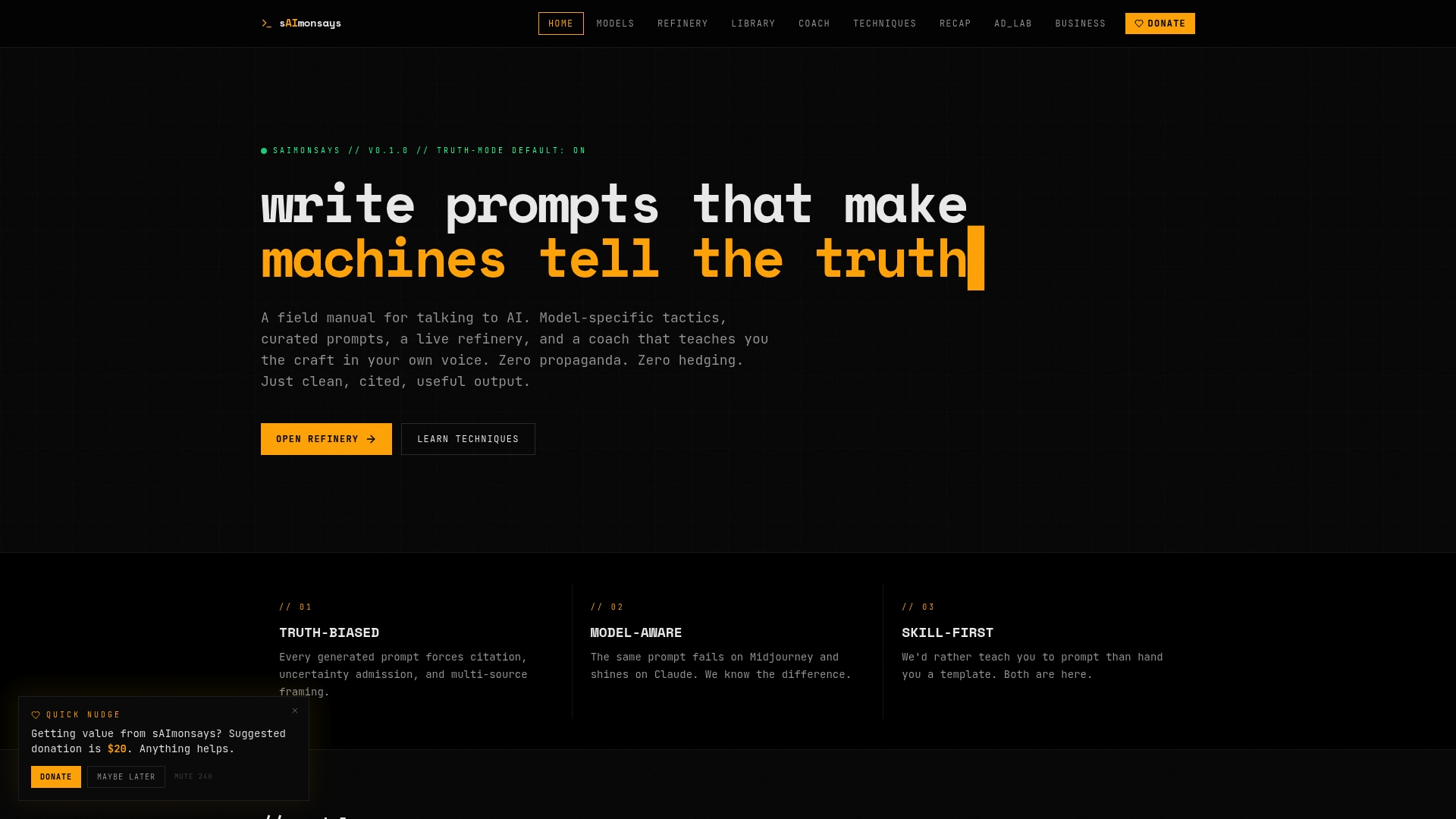
Saimonsays is built for exactly this gap. The prompt-refinery tools and workflow consulting at Saimonsays help you structure your SOP inputs, clean up your transcript prompts, and get model-specific techniques for the AI tools you are already using. Free self-serve tools are available now. Paid consulting sessions cover full workflow diagnostics and prompt makeovers for teams that need faster, more reliable map generation. Visit Saimonsays to refine your first process-mapping prompt today.
Sources
- patoles/agent-flow
- NikitaKharya09/agenttrace-ui
- AgentThinkingUI (footprintjs)
- FlowForge
- AI Process Map Generator