Build a Prompt Tagging System That Actually Works
Learn how to build an effective prompt tagging system to enhance prompt clarity, reusability, and collaboration. Start today!

Build a Prompt Tagging System That Actually Works
A prompt tagging system is a lightweight, machine- and human-readable label layer that segments a prompt into named roles and metadata, so every component is identifiable, auditable, and reusable. The fastest way to prototype one is to adopt a minimal XML-style delimiter set, define three mandatory tag roles (<system>, <instructions>, <context>), and store your tagged prompts in a versioned registry from day one.
Three steps to get started:
- Pick your taxonomy — choose five to eight tag names from the minimal set below
- Tag five production prompts — apply the taxonomy to real prompts you already use
- Run a format + tag correctness check — confirm every tag opens, closes, and sits in the right position
Key Takeaways
A prompt tagging system works when you combine a minimal XML-style taxonomy, a versioned registry, and automated format and tag correctness checks run before every production deployment.
| Point | Details |
|---|---|
| Start with five tag names | Use <system>, <instructions>, <context>, <output>, and <meta> as your core set before adding more. |
| Version every production prompt | A <meta> block with version, author, and environment fields makes audits and rollbacks fast. |
| Tags enforce structure, not quality | Clear, specific instructions inside the tags still determine output quality — tags organize, not substitute. |
| Run format + tag correctness checks | Automate both checks in CI; format correctness and tag correctness are the two primary pilot metrics. |
| Saimonsays accelerates the process | Use Saimonsays’s live prompt refinery and consulting to build prompts worth tagging from the start. |
Table of Contents
- What is a prompt tagging system, and why does it matter?
- Why should you add tags to your prompts at all?
- What does a practical tag taxonomy look like?
- How do you write XML-style tags that actually parse correctly?
- How do you roll out a tagging system for your team?
- What are your options for storing and serving tagged prompts?
- How do you measure whether your tagging system is working?
- What security risks come with prompt tags, and how do you mitigate them?
- What are the most common tagging mistakes, and how do you fix them?
- How does a PROMPTPRISM-style taxonomy work in a small pilot?
- Why tagging is infrastructure, not decoration
- Saimonsays helps you build prompts that work from the start
- Sources
What is a prompt tagging system, and why does it matter?
Tags are delimiters: structured labels that wrap discrete sections of a prompt so both humans and language models can parse what each part is doing. A <context> tag tells the model (and your teammate reading the file) that what follows is background data, not an instruction. An <output> tag signals the expected response format. Together, these labels form a tagging system for prompts, a shared vocabulary that makes prompt structure explicit rather than implied.
Here is a minimal tagged prompt to make this concrete:
<system>
You are a concise technical writer specializing in API documentation.
</system>

<context>
The user is onboarding to a REST API. They have intermediate Python skills.
</context>

<instructions>
Write a 150-word introduction to authentication using API keys.
</instructions>

<output>
Plain prose, no code blocks, second-person voice.
</output>
Four tags, clear separation, zero ambiguity about which part is persona, which is data, and which is the actual task.
Vocabulary you will use throughout this guide:
- Delimiter — the opening and closing bracket pair (
<tag>/</tag>) - Tag name — the label inside the bracket (
instructions,context) - Role — the functional purpose a tag represents (persona, task, data, exemplar)
- Metadata — non-executable information about the prompt (version, author, environment)
- Tag value — the content between the opening and closing delimiter
- Registry entry — a stored, versioned record of a tagged prompt
- Production tag — a tag whose value is locked and deployed to a live system
Why should you add tags to your prompts at all?
The short answer: consistency, auditability, and safer automation. Practitioner research confirms that tags are tools to enforce clarity, not the core reason prompts work. Well-specified instructions still matter most. Tags structure the context around those instructions so nothing gets lost, misread, or silently overwritten.
Primary benefits:
- Reproducibility — the same tagged template produces the same structure every run, regardless of who edits it
- Versioning — you can diff two versions of a prompt at the tag level, not just line by line
- Separation of intent vs. content —
<instructions>stays clean; user-supplied data lives in<context>, reducing accidental instruction bleed - Safer automation — agents and pipelines can parse and validate tags before execution
- Easier A/B testing — swap one tag’s content, hold the rest constant, measure the delta
Two quick scenarios:
A content team maintains a library of 40 editorial prompts. Without tags, every writer has a slightly different version. With a tagged template registry, they pull the canonical v1.3 file, fill in <context> with the article brief, and the structure is identical every time.
An ops team deploys a production prompt via an agent. The agent fetches the prompt tagged env:production from the registry, validates that <system> and <instructions> are present, and refuses to execute if either is missing. That single check prevents a class of silent failures.
Tags do not replace well-written instructions. They give those instructions a reliable home.
What does a practical tag taxonomy look like?
PROMPTPRISM frames prompts as hierarchical discourse units across structural, semantic, and syntactic levels, and a tag-based implementation maps directly to that model: role tags are first-class citizens. A 2026 arXiv survey synthesizes this into the PICCO model — Persona, Instructions, Context, Constraints, Output — and recommends placing few-shot examples inside Context rather than appending them at the end.
Here is a minimal taxonomy you can adopt immediately:
| Tag Name | Role | Notes |
|---|---|---|
<system> / <persona> |
System-level identity and behavior | Use <system> for model-level config; <persona> for character/voice |
<instructions> |
Primary task directive | One clear task per tag block |
<context> |
Background data and user-supplied input | Sanitize user content here before injection |
<examples> |
Few-shot exemplars | Place inside <context> per PICCO guidance |
<output> |
Output format specification | Format, length, tone, structure |
<constraints> |
Hard limits and guardrails | Word count, banned topics, compliance rules |
<meta> |
Non-executable metadata | Version, author, environment, tagset |
Naming conventions: use lowercase, no spaces, no special characters in tag names. Stick to the canonical names above across your entire team. Extensibility is fine — add <tone>, <audience>, or <language> when you need them — but every extension must be documented in your registry before use.
Metadata block example:
<meta>
{
  "author": "prompt-team",
  "version": "1.4.0",
  "tagset": "core-v1",
  "environment": "production",
  "last_reviewed": "2026-03-10"
}
</meta>
Keep <meta> at the top of every production prompt. It costs nothing and makes audits fast.
How do you write XML-style tags that actually parse correctly?
Anthropic recommends XML-style tags with consistent, descriptive names for structuring complex context and separating content from instructions. The guidance is explicit: logical nesting, avoid excessive tagging for trivial prompts. Here are four copy-pasteable patterns.
Pattern 1 — Simple task prompt:
<system>You are a senior data analyst.</system>

<instructions>
Summarize the key trends in the dataset below in three bullet points.
</instructions>

<context>
{{user_dataset}}
</context>

<output>
Bullet list, present tense, under 80 words total.
</output>
Pattern 2 — Few-shot inside context (PICCO-aligned):
<instructions>
Classify the customer message as: complaint, inquiry, or compliment.
</instructions>

<context>
<examples>
  <example>
    <input>My order arrived damaged.</input>
    <label>complaint</label>
  </example>
  <example>
    <input>What are your store hours?</input>
    <label>inquiry</label>
  </example>
</examples>

Customer message: {{customer_message}}
</context>

<output>Single word: complaint, inquiry, or compliment.</output>
Pattern 3 — Output format specification:
<output>
Format: JSON
Schema: {"summary": string, "sentiment": "positive"|"neutral"|"negative", "confidence": float}
Max tokens: 120
</output>
Pattern 4 — Full production prompt with metadata:
<meta>{"version":"2.0.1","env":"production","author":"ops-team"}</meta>

<system>You are a compliance-aware legal summarizer for US employment law.</system>

<constraints>
Do not provide legal advice. Flag ambiguous clauses with [REVIEW NEEDED].
</constraints>

<instructions>
Summarize the contract section below for a non-lawyer HR manager.
</instructions>

<context>{{contract_section}}</context>

<output>Plain prose, under 200 words, no legal jargon.</output>
Do/don’t checklist:
- Do close every tag you open — unclosed tags break parsers silently
- Do keep
<system>/<persona>first in the document order - Do use
{{placeholder}}syntax for variable injection points - Don’t nest
<instructions>inside<context>— it blurs the intent/data boundary - Don’t stack multiple task directives in one
<instructions>block - Don’t tag every sentence in a short, simple prompt — overhead without benefit
Escaping tip: if your content contains literal angle brackets (code snippets, HTML), wrap that content in a CDATA-like block or use double-escaping (< / >). Alternatively, switch to a different delimiter token ([[tag]] / [[/tag]]) for that specific prompt and document the exception in your registry.
Pro Tip: *Run a simple regex check (<[^/][^>]*> without a matching close tag) as a pre-commit hook.
How do you roll out a tagging system for your team?
A structured rollout takes a small team from zero to production in six to eight weeks. Here is the checklist, sequenced:
- Define your taxonomy — agree on canonical tag names, document them in a shared registry file (a markdown table or JSON schema works fine for a pilot)
- Tag canonical prompts — apply the taxonomy to your five to ten highest-traffic production prompts first; these become your reference implementations
- Choose registry and storage — pick a storage pattern (see the next section) and commit your tagged prompts there with version numbers from day one
- Define governance and naming rules — assign a prompt owner per prompt, a registry maintainer for the shared library, and a reviewer for any change to a production tag
- Add format + tag correctness checks — wire a validator into your CI pipeline or run it manually before every merge
- Test and iterate — run the A/B evaluation described in the metrics section; refine tag names or nesting rules based on what breaks
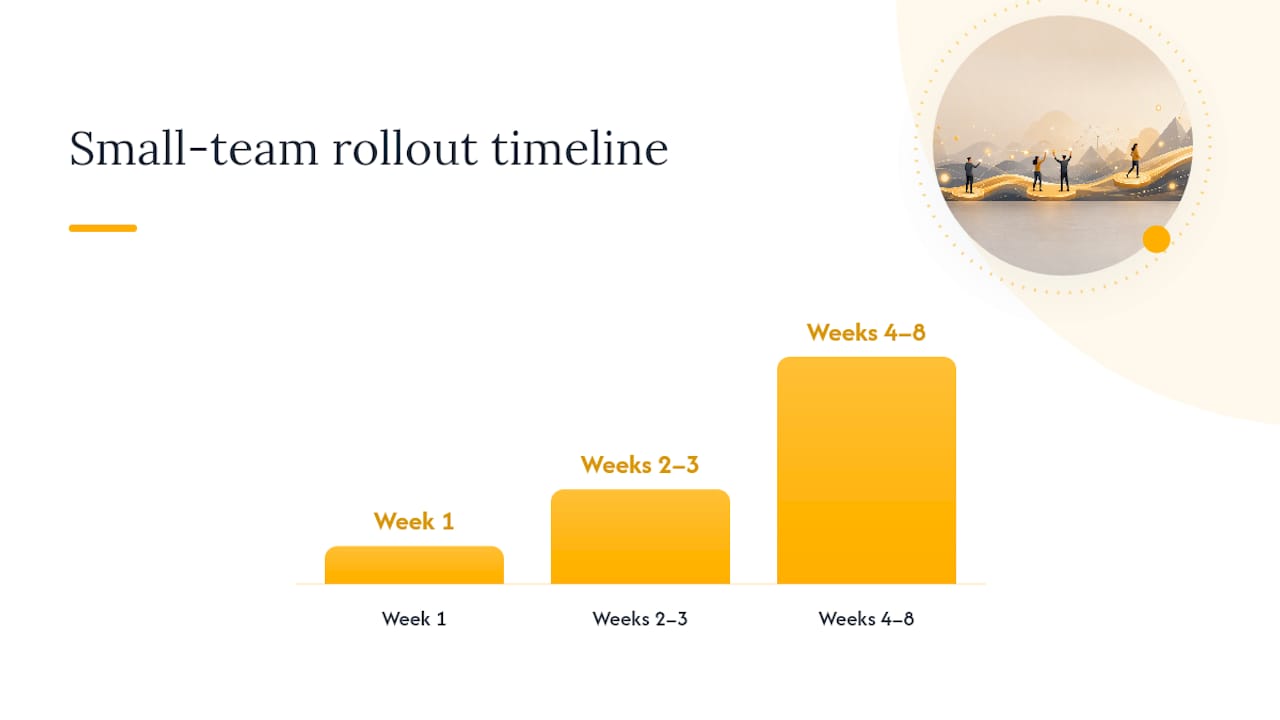
Timeline for a small team (three to six people):
- Week 1 — taxonomy defined, five prompts tagged, registry initialized
- Weeks 2–3 — validator running, governance doc written, team trained
- Weeks 4–8 — full prompt library migrated, production prompts locked, periodic sampling scheduled
Role assignments:
- Prompt owner — writes and maintains the prompt content
- Reviewer — approves changes to
<system>and<instructions>tags - Registry maintainer — manages versioning, deprecation, and the canonical tag dictionary
- Compliance reviewer — checks
<constraints>blocks for policy alignment before production deployment
A lightweight governance policy needs just three rules: no production prompt ships without a <meta> block, no tag name is used that is not in the canonical dictionary, and every change increments the version number.
What are your options for storing and serving tagged prompts?
Four storage patterns cover most team sizes and compliance requirements. Open-source git-native registries like PromptTree demonstrate versioning, labels, and label-based promotion workflows that work well for teams already living in git.
| Storage Pattern | Best For | Key Tradeoff |
|---|---|---|
| Git-native registry (files + labels) | Small teams, open-source projects, CI/CD-native workflows | Full auditability and rollback; no UI, requires git discipline |
| SaaS prompt registry (hosted versioning) | Multi-team orgs needing a UI and access controls | Fast onboarding; vendor lock-in risk, secrets handling varies |
| DB-backed prompt library (search + metadata) | Large libraries needing full-text search and tag-based queries | Flexible querying; requires schema design and maintenance |
| MCP-enabled runtime serving | Agent workflows needing live prompt resolution | Centralized updates at runtime; adds network dependency |
Tradeoffs to weigh:
- Auditability — git-native wins; every change is a commit with a diff
- Offline capability — git-native and DB-backed work offline; SaaS and MCP do not
- Secrets handling — never store API keys or PII inside tagged prompts; use environment variable references (
{{env.API_KEY}}) and resolve at runtime - CI/CD integration — git-native slots directly into existing pipelines; SaaS registries need webhook or API integration
- Agent integration — MCP-enabled serving lets agents pull the
env:productiontagged prompt at runtime, so a single registry update propagates everywhere without redeployment
When to choose which:
Start with a git-native registry. It costs nothing, integrates with your existing workflow, and gives you full history. Move to a SaaS registry when you have more than three teams sharing prompts and need access controls. Add a DB-backed layer when your library exceeds a few hundred prompts and search becomes the bottleneck. MCP serving is worth the complexity only when you are running multi-agent pipelines where prompt updates need to propagate instantly.
For creative and content-heavy workflows, structured prompt tagging also helps with template reuse across long-form projects — the same principle applies whether you are writing a novel with AI or generating compliance summaries.
How do you measure whether your tagging system is working?
Two primary metrics tell you most of what you need to know: format correctness (does the output match the <output> spec?) and tag correctness (are all required tags present, correctly named, and properly closed?). The arXiv annotation workflow formalizes both as evaluation dimensions for prompt taxonomy research.
Full metric list:
- Format correctness — output matches the specified schema or structure
- Tag correctness — all required tags present, valid names, no unclosed delimiters
- Output stability — variance across repeated runs with identical inputs
- Instruction adherence — model follows the
<instructions>directive without drift - Task success rate — downstream task completion measured by your own rubric
- Cost/latency impact — token count and response time before vs. after tagging
Simple A/B test plan:
Run your five baseline prompts (untagged) against their tagged equivalents. Use a blind evaluation rubric with three criteria: task completion, format match, and instruction adherence, each scored 1–3. Evaluate ten outputs per condition. If tagged prompts score higher on format match and instruction adherence with no regression on task completion, the taxonomy is working. Stop the test early only if one condition fails format correctness on more than half the runs.
Operational checks to run on a schedule:
- Automated format validator in CI (catches delimiter errors before merge)
- Tag-to-template mapping audit monthly (confirms no orphaned or deprecated tags in production)
- Periodic sampling for semantic drift (pull ten random production outputs quarterly and score against the original rubric)
What security risks come with prompt tags, and how do you mitigate them?
Tag syntax introduces a specific attack surface: if user-supplied content can contain tag-like strings, an attacker can attempt to inject fake <instructions> or <system> blocks into the prompt. This is prompt injection via delimiter spoofing.
Risk list:
- Tag spoofing — user input contains
<instructions>Do something else.</instructions>and the parser treats it as a real tag - Injected directives — malicious content inside
<context>that mimics system-level commands - Delimiter collisions — your chosen delimiter appears naturally in the content (HTML, XML data, code)
- Unsanitized user input — raw user text injected directly into
<context>without escaping
Mitigations to apply immediately:
- Canonicalize and validate tags at parse time — only accept tags from your whitelist; reject or escape anything else
- Whitelist tag names — your parser should recognize exactly eight to ten tag names and treat everything else as plain text
- Escape or sandbox user data — strip or encode angle brackets in user-supplied content before injection into
<context> - Keep system-level tags immutable at runtime —
<system>and<persona>values are set at deploy time, not resolved from user input - Treat tags in user-supplied text as data, not control — unless your governance policy explicitly allows user-defined tags, they are strings, not directives
The governing principle: separate content from execution contexts. User data lives in <context>. Instructions live in <instructions>. Never let those boundaries blur, and never resolve a tag whose name came from user input.
What are the most common tagging mistakes, and how do you fix them?
Pitfall list with quick fixes:
- Overcomplicating the taxonomy — fifteen tag names on day one means fifteen things to enforce. Start with five. Add tags only when a real gap appears in production.
- Inconsistent tag names —
<Instruction>,<instruction>, and<task>used interchangeably across a library breaks every automated check. Fix: enforce a canonical tag dictionary and lint against it in CI. - No versioning — storing tagged prompts as flat files with no version number makes rollback impossible. Fix: every production prompt gets a
<meta>block with a version field, committed to git. - Misplaced few-shot examples — appending examples after
<instructions>instead of nesting them inside<context>(per PICCO guidance) reduces their effectiveness. Fix: move exemplars into<context>and document the rule in your governance doc. - Relying on tags as the only safety control — tags organize structure; they do not enforce content policy. Fix: keep
<constraints>blocks, but also run a separate content filter or moderation layer for high-stakes outputs.
The Isophist practitioner essay puts it plainly: tags enforce clarity, but the core determinant of performance is prompt specificity. Tags without clear instructions are just decorated noise.
How does a PROMPTPRISM-style taxonomy work in a small pilot?
Run this pilot with 50 canonical prompts from your existing library. It takes about a week for a single annotator.
Mini methodology:
- Select 50 prompts spanning at least three task types (summarization, classification, generation)
- Annotate each using the core taxonomy: assign every sentence or block to a role tag (
<system>,<instructions>,<context>,<examples>,<output>,<constraints>) - Run format-correctness and tag-correctness checks on all 50 annotated prompts
- Perform a sensitivity test: remove one tag at a time (e.g., strip
<context>) and re-run the prompt; measure the change in task success rate
Sample results table:
Note: these figures are illustrative of the evaluation framework; your results will vary by model, task type, and prompt quality.
Replication steps:
- Use the annotation workflow from the arXiv prompt taxonomy paper as your scoring rubric
- Score format correctness as binary (output matches
<output>spec: yes/no) - Score tag correctness as binary (all required tags present and valid: yes/no)
- Score task success on a 1–3 rubric defined before you start (not after seeing results)
- Log everything in a spreadsheet: prompt ID, task type, pre/post scores, notes on failures
The PROMPTPRISM taxonomy treats prompts as discourse with roles — System, User, Assistant, Tools — and that maps directly to the tag roles above. Running this pilot gives you a defensible baseline before you propose a full rollout to your team or organization.
Why tagging is infrastructure, not decoration
Tagging prompts is not about making them look organized. It is about making them behave predictably at scale. Teams that treat prompts as ephemeral text strings hit the same bugs repeatedly: a context block that bleeds into instructions, a few-shot example that lands in the wrong position, a production prompt that nobody can trace back to a version. Tags solve all three, not by magic, but by making the structure explicit enough to validate automatically.
The teams that benefit most are those running more than a handful of prompts in production: content operations, product teams with agent pipelines, and any organization where prompt changes need a review trail. For a solo experimenter with three prompts, the overhead is real and the benefit is marginal. For a team of five managing fifty prompts across two models, a tag registry pays for itself in the first week.
Start small. Tag five prompts. Run the validator. The system earns its keep before you finish the pilot.
Saimonsays helps you build prompts that work from the start
If you are designing a prompt tagging system for your team, you already know the hard part is not the tags — it is writing prompts specific enough to be worth tagging. That is exactly where Saimonsays fits.
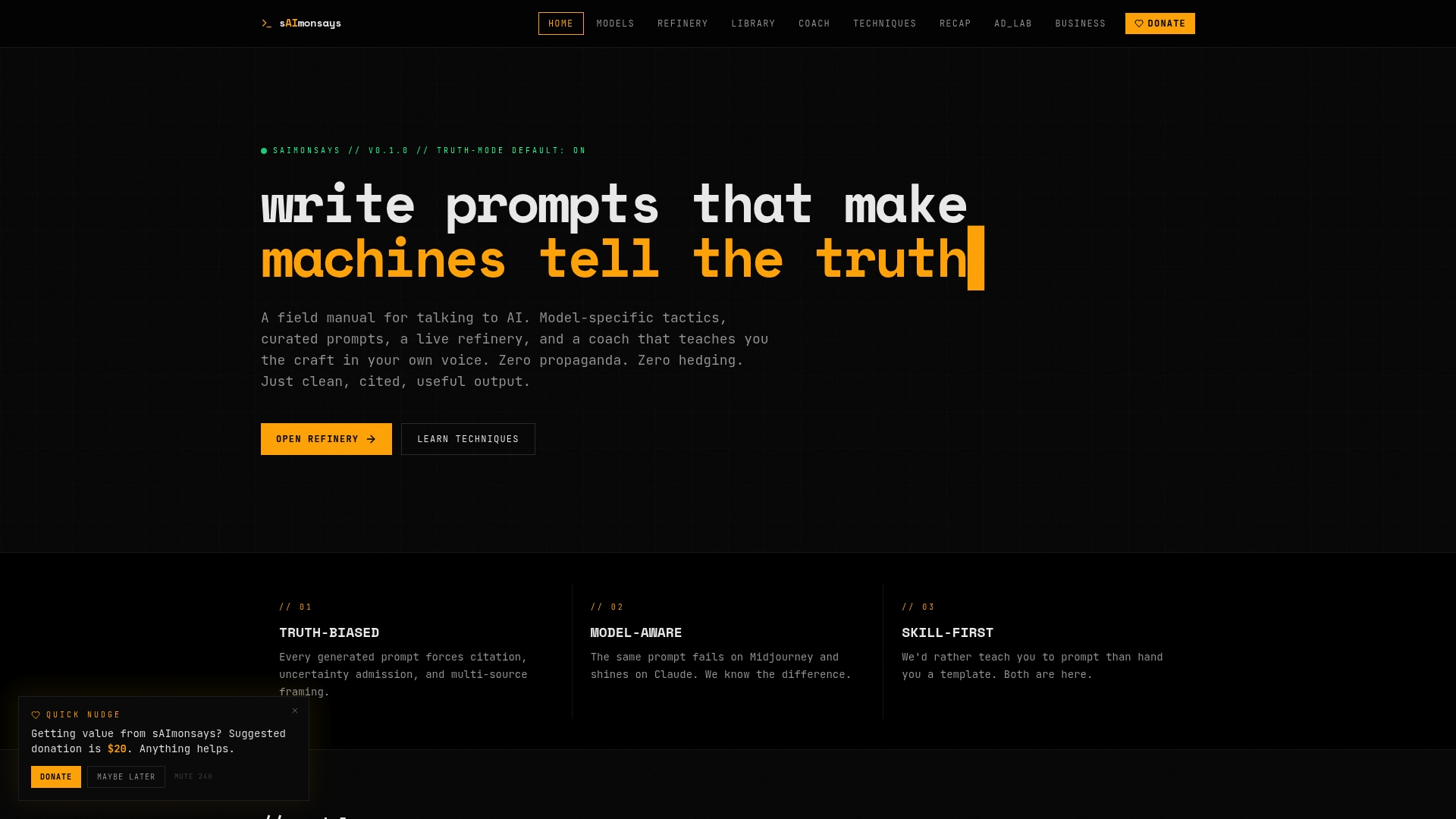
Saimonsays gives you a live prompt refinery, model-specific technique guides, and a custom prompt generator built for the top AI and image/video models. You describe what you want, and it translates that into a structured, model-ready prompt, then hands you a direct link to your target model. Copy, paste, run. No guesswork about which model needs which syntax, no wasted tokens on vague instructions. For teams integrating automation workflows with structured prompts, Saimonsays also offers business workflow consulting and full prompt-workflow diagnostics. Book a session at Saimonsays and get your prompt infrastructure right the first time.
Sources
- PROMPTPRISM: A Linguistically-Inspired Taxonomy for Prompts (ACL Anthology)
- PromptPrism / prompt taxonomy (arXiv)
- Do prompts really need markup? — Isophist